
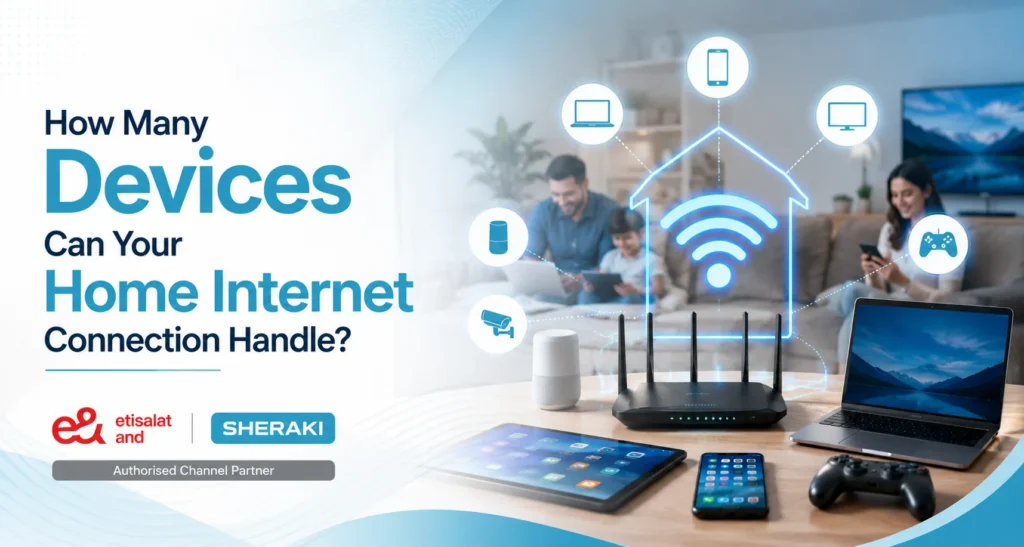
How Many Devices Can Your Home Internet Connection Handle?
Today’s homes are more connected than ever. It’s not unusual for several devices to be connected to the same Wi-Fi network simultaneously, whether it’s smartphones and laptops or smart TVs and security cameras.
However, as the number of connected devices increases, more people start experiencing slower speeds, buffering, and disconnections. This often leads to the question: How many devices can your home internet connection actually handle?
It’s a question that can depend on a lot of things, such as internet speed, router performance, and the type of use for each device. This guide will teach you how to select the right Internet for several devices and maintain a home network (Source: eiresystems).
Why the Number of Connected Devices Matters
All devices on a network use the Internet’s bandwidth.
Being able to use websites or check emails consumes hardly any data. But video streaming, online gaming, and video calls consume significantly more bandwidth. If multiple high-traffic devices are in use at the same time, your connection can get congested.
So it’s best to make sure you get a plan that suits the needs of your family, rather than just the number of devices you connect (Source: Support).
How Many Devices Can a Home Internet Connection Handle?
There isn’t a definite number since each domestic use the internet differently.
Devices connected to a modern router can include dozens of devices, but the speed of your internet connection will dictate how well they perform together. The family that is watching movies, going to online classes, and working at home simultaneously will require greater bandwidth than one that typically surfs the Internet (Source: Highspeedinternet).
Typical Internet Usage by Device
| Device | Typical Internet Usage |
| Smartphone | Low to Medium |
| Laptop/Desktop | Medium |
| Smart TV (HD Streaming) | High |
| Smart TV (4K Streaming) | Very High |
| Gaming Console | High |
| Video Doorbell | Low |
| Security Camera | Medium |
| Smart Speakers | Low |
| Smart Home Devices | Low |
The more devices performing high-bandwidth activities simultaneously, the more internet capacity your home needs.
How Many Devices Can a 100 Mbps Internet Connection Support?
A 100 Mbps internet connection would be able to handle several users who are using the internet, watching high-definition content, participating in video calls, and operating smart home devices simultaneously. But if several people are streaming in 4K, playing games online, or downloading huge amounts of data, you may need to upgrade the speed of your plan to experience a smoother experience.
What Affects Your Internet Performance When Multiple Devices Are Connected?
The number of devices is only one part of the equation. Several other factors influence how well your home network performs.
Internet Speed
A faster internet plan provides more bandwidth, allowing multiple devices to stay connected without affecting performance.
Router Quality
Older routers may struggle to manage many connected devices. Modern Wi-Fi 6 and Wi-Fi 6E routers are designed to support larger households with multiple users.
Type of Online Activity
Streaming, online gaming, and video conferencing consume much more bandwidth than browsing or messaging.
Wi-Fi Coverage
Weak Wi-Fi signals can cause slow speeds even if your internet plan is fast. Proper router placement helps improve coverage throughout your home.
Number of Active Users
Connected devices don’t always use the internet equally. Performance depends more on how many devices are actively using bandwidth at the same time.
Does Having More Connected Devices Slow Down Wi-Fi?
Yes, but only when multiple devices are actively using bandwidth. Simple tasks like checking emails or browsing websites use very little data, while streaming videos, gaming, and video conferencing require much more bandwidth. The more demanding activities happening at once, the greater the impact on your network.
Signs Your Home Network Is Overloaded
If your network is handling more traffic than it can support, you may notice several warning signs.
Common Signs Include
- Slow internet speeds
- Videos buffering frequently
- Lag during online gaming
- Video calls freezing or disconnecting
- Smart home devices responding slowly
- Wi-Fi dropping unexpectedly
- Slow file downloads and uploads
If these problems happen regularly, your household may benefit from a faster internet plan or a more capable router.
Do Idle Devices Use Internet Bandwidth?
Idle devices use very little bandwidth, but they can still consume small amounts of data through automatic software updates, cloud backups, app syncing, or security updates running in the background.
Tips to Improve Internet for Multiple Devices
You don’t always need to replace your internet connection. A few simple changes can improve network performance (Source: Netgear).
Best Practices
- Upgrade to a higher-speed internet plan if required.
- Use a modern Wi-Fi 6 or Wi-Fi 6E router.
- Place your router in a central location.
- Limit unnecessary background downloads.
- Connect stationary devices using Ethernet where possible.
- Keep your router’s firmware updated.
- Restart your router regularly for optimal performance.
These small improvements can make a noticeable difference, especially in homes with many connected devices.
Should You Upgrade Your Router or Your Internet Plan First?
If your internet speed is already suitable but you still experience poor Wi-Fi coverage or frequent disconnections, upgrading your router can improve performance. However, if your connection slows down whenever multiple devices are online, switching to a faster internet plan is usually the better solution (Source: TpLink).
Is Wi-Fi 6 Better for Homes with Multiple Devices?
Yes, but not when two or more devices are concurrently using the bandwidth. You might only need to use a small amount of data for checking emails or viewing websites, but streaming videos, playing games, and video conferencing will require a lot more. The more challenging activities are performed simultaneously, the more impact it will have on your network.
Choosing the Right Home Internet Plan
The right internet plan depends on the number of users and how they use the internet every day.
Recommended Internet Speeds
| Household Size | Recommended Speed | Best For |
| 1–2 Users | 50–100 Mbps | Browsing, Streaming, Video Calls |
| 3–5 Users | 100–300 Mbps | Multiple HD Streams, Remote Work |
| 5+ Users | 300–500+ Mbps | 4K Streaming, Gaming, Smart Homes |
If your household regularly uses multiple devices at once, choosing a higher-speed plan can help ensure a smoother online experience (Source: Cnet).
Why Choose Sheraki for Reliable Home Internet?
The right Internet plan makes it easier to perform everyday Internet activities, from working to studying to streaming to managing smart home devices.
Sheraki, through its Etisalat internet packages, helps the residents of the UAE to select a trusted and reliable home internet service that suits their family requirements. From needing to connect multiple devices to needing to be faster than the current home plan, our team can work with you to make sure you get a plan that will give you consistent service and a reliable connection for all your devices and your growing family
Our Home Internet Solutions Include
- High-speed home internet plans
- Internet solutions for multiple connected devices
- Reliable Wi-Fi connectivity
- Flexible plans for different household sizes
- Expert guidance to help you choose the right package
- Ongoing customer support
With the right internet solution, everyone in your home can stay connected without compromising speed or performance.
Conclusion
With the proliferation of devices in everyday use, it is more crucial than ever to select the best home internet connection.
Don’t just look at the number of devices you have connected; pay attention to your internet connection, router, and what activities your family uses the internet for. A good internet plan will help lower buffering, boost performance, and enhance everyone’s home entertainment.
Whether you’re searching for dependable web for lots of gadgets, Sheraki can assist you with discovering a resolution to cover your entire family.