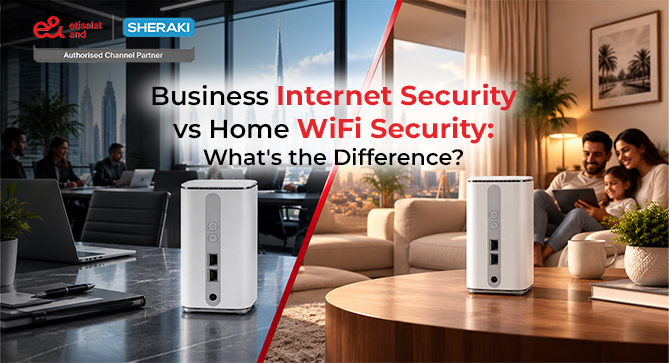
In the first view, business Internet and home Wi FI seems similar. Both offer WIFI access, Internet connection, and online service access.
It’s easier to see the difference when you consider what the network must protect.
A Home Network can be used for the main devices in a home such as family telephones, laptops, television sets, games, and smart home equipment. Employee laptops, smart phones, printers, meeting-room systems, cloud apps, VoIP devices, guest devices and other business technology can be connected to an office network simultaneously.
Requirements for business internet security UAE solutions typically are more complicated than setting a password on a wireless router.
NIST states that the security of a wireless LAN relies on securing components along the network lifecycle, from access points and client devices to wireless switches, configuration, maintenance and monitoring.
The goal is not just to maintain people’s connections. It can also be used to restrict access, who can be connected to, and the control of network traffic.
Home WiFi Security: What Does It Usually Involve?
For a typical home, WiFi security may focus on a relatively straightforward set of controls.
These can include:
- A strong WiFi password
- Secure wireless encryption
- Router administrator protection
- Firmware updates
- Guest WiFi
- Basic device management
- Changing default login credentials
For many households, this provides a reasonable starting point.
The network usually has fewer users and devices, and the consequences of one device connecting to the network are different from those in an organisation.
For example, a family may use the network for streaming, browsing, online shopping, education, communication, and smart-home devices.
An office has additional concerns.
Employees could be accessing company documents, customer records, financial platforms, internal applications, cloud services, business email, or communication systems through the same infrastructure.
This makes office WiFi security a broader network-management issue.
Why Businesses Need More Than a WiFi Password
Providing a common password does not serve to give a business an idea of who is actually using the network and where access can be given.
Let’s assume that a company has 30 employees and a moderate number of visitors.
Employees may need access to their business process software, printers, file systems, and cloud services while visitors only require internet access.
Having both groups of people on the same network raises security risks that could be easily avoided.
Instead of creating an issue, it would be better to differentiate between networks based on the needs of users.
By separating the networks it should go as follows:
The network for employees → which includes the access to authorized business users and resources;
Guest network → required by visitors to access the internet only;
Managed network → covering only special-purpose devices like IoT or operational devices.
Network segmentation allows having different sections inside the infrastructure and limit their communications. Network segmentation means restricting access to devices, data, and applications, and preventing any malicious activities.
This is one of the straightforward differences between ordinary home WiFi and properly structured business networks (Nist).
Business Network Security Includes Access Control
A business network needs to answer more questions than:
“What is the WiFi password?”
It also needs to consider:
- Who is authorised to connect?
- Which devices are allowed?
- What resources can each user access?
- Should guests have access to internal systems?
- What happens when an employee leaves?
- How are suspicious connections identified?
- How is network access monitored?
As businesses increase their number of users, devices, applications, and locations, the questions become more relevant.
When securing an organisation’s wireless network, NIST wireless security guidance states that it is important to implement robust authentication and security controls.
Therefore, access control should be considered as a part of the secure business internet strategy and not as a standalone solution for businesses.
What Does a Firewall Do for a Business?
Another key difference between simple home connectivity and a more sophisticated business network is a firewall.
A simple definition of a firewall is the ability to manage network traffic between various networks based on a set of security policies. A firewall is a gateway that restricts access to networks according to local security policy.
In a business setting, it can be used to manage which types of traffic can flow from trusted network zones to untrusted network zones (Paloaltone).
For example, an organisation may want:
- Internal systems protected from unnecessary external traffic
- Guest users restricted to internet access
- Certain services accessible only through approved connections
- Unnecessary ports and services restricted
- Different network segments controlled separately
A firewall does not make a business network automatically secure. Its effectiveness depends on proper configuration, access policies, monitoring, and the wider security architecture.
That is why firewall protection should be considered as one layer of business network security, not the entire security strategy.
Guest WiFi Is More Important in an Office
Guest WiFi is widespread in the business world and should be managed in a different way than home guest WiFi.
Home users can set up guest WiFi for relatives or friends coming over, whereas businesses give access to clients, suppliers, contractors, people who are up for an interview, and event participants.
these users usually do not require access to the internal systems of the business.
By keeping guest connectivity distinct, the possibility of unwanted exposure decreases.
A simple structure could look like this:
| Network | Typical Purpose |
| Employee WiFi | Business users and approved devices |
| Guest WiFi | Visitors and internet-only access |
| Device/IoT network | Selected operational devices |
| Administrative network | Controlled management access |
The exact design depends on the organisation and its technology environment, but the principle is straightforward: not every connected device needs the same level of access.
Business WiFi Security Also Covers the Physical Environment
Wireless signals aren’t blocked by an office door.
Wireless security can be impacted by physical positioning of access points, the layout of the office, the materials used in building, signal strength and other networks in the vicinity.
The UAE’s Information Assurance Regulation provides for the specific handling of wireless network security and recommends the following controls: Assess wireless coverage; Ensure a proper categorization of users and information systems; Review periodically whether segregation of the network is still achieved.
This means office WiFi planning should consider more than simply installing access points where employees want a stronger signal.
A proper deployment should consider:
- Office layout
- Access point placement
- Coverage areas
- Device density
- Wireless interference
- Employee and guest networks
- Security requirements
- Future expansion
Good coverage and good security should work together.
Cyber Threats Can Affect More Than the Internet Connection
All teams can access cloud platforms, business email, online communication, VoIP, customer systems, digital payments, file sharing and remote access, via the same connectivity environment.
A secure business internet connection, then, should be able to handle performance and protection.
The need to safeguard information assets and supporting systems from on-going cyber security threats, with information assurance controls based on risk management and continuous improvement.
Security is an important consideration when choosing business connectivity, and not just when issues arise (U.ae).
For an organisation, this changes the way security should be considered.
The question is not only:
“Can someone connect to our WiFi?”
It is also:
“If a device or account is compromised, how much of our network can it reach?”
That is a much more useful way to think about business network security.
Home WiFi vs Business WiFi: Key Differences
| Area | Home WiFi | Business WiFi |
| Users | Usually limited | Multiple employees and visitors |
| Devices | Personal devices | Computers, phones, printers, VoIP, IoT, and more |
| Access | Generally simple | Role and requirement-based |
| Guest access | Optional | Often needs separate controls |
| Firewall | Basic router protection | More structured traffic control may be required |
| Network segmentation | Less common | Often useful for separating users and systems |
| Monitoring | Usually limited | More important for business operations |
| Management | Individual/home user | IT team or managed provider |
| Security impact | Mainly personal | Can affect business systems and data |
| Scalability | Usually small | Must support business growth |
The key difference is therefore not simply speed or number of devices.
It is the level of control, separation, management, and protection required by the environment.
What Should UAE Businesses Look for in Secure Business Internet?
When choosing business connectivity, security should be considered alongside bandwidth and reliability.
Businesses should review:
1. Network Requirements
Understand how many users, devices, applications, and locations depend on the connection.
2. WiFi Design
Consider office size, coverage, access point placement, device density, and areas that require reliable connectivity.
3. Access Controls
Determine who should have access to business resources and whether different user groups need different permissions.
4. Guest Access
Keep visitors separate from internal business systems wherever appropriate.
5. Firewall Protection
Use suitable firewall controls to regulate traffic between network areas and external connections.
6. Network Segmentation
Separate systems or users where doing so can reduce unnecessary access and limit the potential impact of a security incident.
7. Monitoring and Maintenance
Security is not a one-time configuration. Network equipment, access points, credentials, and security policies need ongoing attention.
The UAE Information Assurance Regulation also takes a risk-based approach to network protection and calls for networks to be adequately managed, controlled, protected, and monitored.
Why Business Internet Security UAE Matters
In the UAE, companies are now more reliant on internet connectivity for their day-to-day business activities.
Thanks to cloud computing, emails, online communication, VoIP, customer system software, digital payment methods, file sharing and remote access tools, it is now possible for teams to use everything from a central location.
Thus, the internet connectivity has to ensure both efficiency and security.
The UAE Government’s cybersecurity guidelines state that various information assets and systems must be protected against evolving cyberattacks and risks through appropriate information assurance systems.
Consequently, security becomes a vital factor in choosing the appropriate connectivity instead of simply accounting for it after the fact.
How Sheraki Can Help With Business Connectivity
For businesses looking for business internet security UAE solutions, the starting point should be understanding the organisation’s actual connectivity requirements.
Sheraki offers customised business internet and corporate plans for businesses. Its approach focuses on matching connectivity options with business requirements rather than treating every organisation as having the same needs.
When discussing a business internet setup, companies can consider factors such as:
- Number of employees
- Number of connected devices
- Office size and layout
- Cloud applications
- VoIP requirements
- Guest access
- Required bandwidth
- Business continuity requirements
- Network security considerations
- Expected business growth
Sheraki can help businesses explore suitable Etisalat business internet plans and corporate connectivity options based on their requirements.
The important point is to look beyond the advertised internet speed. A business needs connectivity that fits its users, applications, network environment, and security requirements.
Final Thoughts
The distinction between home wifi security and business internet security is largely in terms of scale, access, control, and risk.
Protection for personal devices might be enough for a home network. Employee and guest separation, increased authentication, network segmentation, firewall controls, monitoring, and access policies may be needed for a business network.
This isn’t a reason for a very complicated network, however.
It all depends on the size of the organisation, the type of information they have, the applications they employ, the number of devices they connect and their operational needs.
It should involve asking:
Who needs access?
What should they be able to access?
How should guest devices be separated?
How will network traffic be controlled?
What happens if one device is compromised?
When connectivity is designed around these questions, business internet can become a more controlled and resilient part of the organisation’s technology environment.