
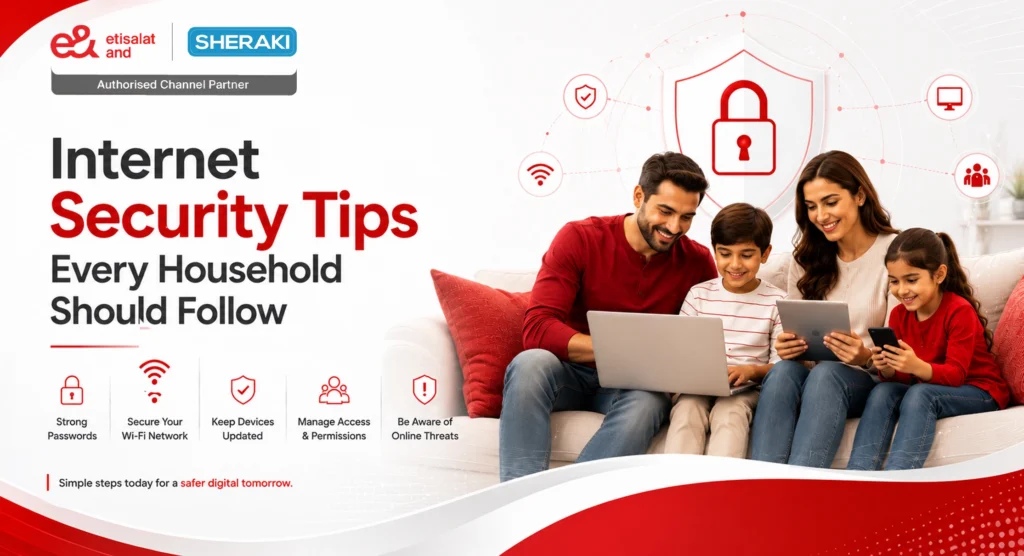
The internet has become part of almost every household.
There are more devices than ever before connected to families, from streaming movies and taking online classes to shopping, banking, gaming, and controlling smart home devices.
However, each connected device can be another spot that must be secured.
That’s why businesses should not overlook internet security in the UAE. Households can minimize common cyber risks through a secure home network, safe online behavior, and secure devices.
Fortunately, enhancing the digital security of your home doesn’t always involve intricate technical measures.
Some simple lifestyle changes can make a difference (FTC).
Why Is Internet Security Important at Home?
Think about everything connected to your home network.
You may have:
- Smartphones
- Laptops
- Tablets
- Smart TVs
- Gaming consoles
- Security cameras
- Smart speakers
- Smart appliances
Each device will carry your personal information and/or link with accounts that are important to your family.
The National Cyber Security Centre in the UK advises on cyber security, emphasizing the importance of protecting devices, personal data, and online accounts as part of their daily online safety practices (National Cyber Security Centre).
That makes home network security more than just protecting your Wi-Fi password.
It is about creating safer habits across the entire household.
1. Start With a Strong Wi-Fi Password
Your Wi-Fi password is one of the first things you should check.
Avoid using simple passwords that someone could easily guess, such as:
- Your name
- Date of birth
- House number
- Phone number
- Simple number combinations
Instead, use a strong and unique password.
It is also better not to use your Wi-Fi password for other accounts. If one password is exposed, reusing it elsewhere can create additional risks. Kaspersky similarly recommends long, complex, and unique passwords and suggests using a password manager where useful. (Kaspersky)
A simple rule:
One account = one strong password.
For households with several family members, a password manager can also make it easier to manage different passwords without relying on memory.
2. Secure Your Home Wi-Fi Network
A strong password is only one part of home network security.
Your router is effectively the gateway through which many of your home’s connected devices access the internet.
Check your router settings and make sure:
- The default administrator password has been changed
- A suitable Wi-Fi security protocol is enabled
- Your router firmware is kept updated
- Your Wi-Fi password is not shared publicly
- A guest network is used when appropriate
In addition, Glo Fiber Internet Safety Advice suggests that you change the default password for your router, utilize WPA2 or WPA3 encryption, and set up extra visitor networks for guests. (GloFiber)
This can help prevent your primary home network from being exposed to devices that don’t require full access to the network.
3. Turn On Two-Step Verification
A password does not always provide enough protection on its own.
Two-step verification, also called multi-factor authentication, adds another layer when someone tries to access an account.
For example, after entering your password, you may also need to:
- Enter a verification code
- Approve a login through an app
- Use a fingerprint
- Confirm your identity through another security method
The NCSC recommends enabling 2-step verification, while Kaspersky explains that multi-factor authentication can reduce the likelihood of a successful account attack. (National Cyber Security Centre)
Wherever the option is available, consider enabling it for important accounts such as:
- Banking
- Shopping
- Social media
- Cloud storage
4. Keep Your Devices Updated
That notification asking you to update your phone or laptop can be easy to ignore.
But software updates are not always about adding new features.
They can also contain security fixes for vulnerabilities.
Make sure your household regularly updates:
| Device | What to Check |
| Smartphones | Operating system and apps |
| Laptops | Operating system and security software |
| Tablets | System and applications |
| Smart TVs | Firmware and apps |
| Gaming consoles | System updates |
| Routers | Firmware updates |
| Smart devices | Device software |
Kaspersky notes that software updates can include important security patches, while Glo Fiber also recommends keeping household devices and routers updated. (Kaspersky)
If automatic updates are available, enabling them can make this easier.
5. Teach Your Family to Recognise Scams
Not every security problem starts with a hacked device.
Sometimes, it starts with a simple click.
A suspicious message may appear to come from:
- Your bank
- A delivery company
- A shopping website
- A social media platform
- A friend or family member
- A government service
The message may ask you to click a link, download a file, or provide personal information.
Before responding, stop and check.
Ask yourself:
Do I know the sender?
Was I expecting this message?
Does the link look genuine?
Is it asking me to act urgently?
Is it requesting sensitive information?
Kaspersky recommends avoiding suspicious links, attachments and unsolicited messages, while its guidance also highlights phishing, fake websites and online scams as common internet risks. (Kaspersky)
When in doubt, go directly to the company’s official website instead of using the link in the message.
6. Be Careful With What Your Family Shares Online
Internet security is also about protecting personal information.
Children and adults should think carefully before sharing details such as:
- Home address
- Phone number
- School information
- Travel plans
- Live location
- Personal photographs
- Account details
Social media privacy settings can also help control who can see your information.
The NCSC recommends using privacy settings across social media platforms to manage your digital footprint, while Kaspersky advises users to think carefully about the personal information they post online. (National Cyber Security Centre)
A useful habit is simple:
If you would not share it with a stranger, think twice before posting it publicly.
7. Give Children Their Own Online Safety Rules
Children are spending more time online for education, entertainment, gaming and social interaction.
Rather than simply telling them to “be careful,” give them a few clear rules they can actually remember.
Teach children to:
- Never share passwords with friends
- Avoid talking to unknown people online
- Do not click suspicious links
- Ask an adult before downloading something unfamiliar
- Avoid sharing their address or location
- Tell someone if something online makes them uncomfortable
Open communication is important.
Children should feel comfortable telling parents or guardians when they receive a strange message, encounter inappropriate content or believe someone is behaving suspiciously.
Both Glo Fiber and Kaspersky emphasise conversations with children as part of building safer online habits. (GloFiber)
8. Don’t Forget Your Smart Home Devices
Your home network may include more than computers and phones.
Smart cameras, doorbells, speakers, locks, lighting systems and other connected devices can also access your network.
That means they should receive the same attention as your other devices.
Check your smart devices for:
- Default passwords
- Available software updates
- Privacy settings
- Unused features
- Unknown connected accounts
The NCSC specifically provides guidance on safely using smart devices at home, including connected cameras and other everyday devices. (National Cyber Security Centre)
If you no longer use a smart device, consider removing it from your network rather than leaving it connected unnecessarily.
9. Be Careful When Using Public Wi-Fi
Home Wi-Fi is generally easier to control because it is your own network.
Public Wi-Fi is different.
When connecting at an airport, hotel, café or another public location, you may not know how that network is secured.
Kaspersky recommends avoiding sensitive transactions over unsecured public Wi-Fi and suggests using a trusted connection for activities such as online banking. (Kaspersky)
So if you need to access something sensitive, consider waiting until you are back on your trusted home connection.
10. Back Up Important Family Data
Imagine losing years of family photographs, important documents or other personal files because a device stops working or becomes infected.
Regular backups can reduce the impact.
Consider backing up important information such as:
- Family photographs
- Important documents
- School files
- Work documents
- Important phone data
Kaspersky recommends regularly backing up important personal information as a way to reduce the impact of malware and ransomware incidents. (Kaspersky)
You do not need to wait for something to go wrong before deciding that your files are worth protecting.
11. Use a Guest Network for Visitors
Do your guests really need access to the same network as your family’s devices?
Usually, they don’t.
A guest Wi-Fi network can provide internet access without giving visitors the same level of access to your main household network.
This is particularly useful in homes with:
- Smart cameras
- Smart locks
- Personal computers
- Network storage
- Smart appliances
Glo Fiber includes creating a guest network among its recommendations for securing a home Wi-Fi network. (GloFiber)
It is a small change that can make your network setup more organised.
12. Review Your Connected Devices Regularly
Your household’s internet setup changes over time.
You may buy a new phone, replace an old laptop, add a smart TV or stop using an old device.
So it is worth checking your network occasionally.
Ask:
Which devices are connected?
Do we still use all of them?
Are their passwords updated?
Are software updates available?
Does every device still need network access?
Removing old or unused devices and accounts can reduce unnecessary exposure. Kaspersky also recommends closing unused online accounts because old accounts can become weak points. (Kaspersky)
A Simple Home Internet Security Checklist
You don’t need to become a cybersecurity expert to make your household safer online.
Start with these basics:
| Security Step | Check |
| Strong Wi-Fi password | ✓ |
| Updated router | ✓ |
| WPA2/WPA3 security | ✓ |
| Guest network | ✓ |
| Two-step verification | ✓ |
| Updated devices | ✓ |
| Scam awareness | ✓ |
| Secure smart devices | ✓ |
| Privacy settings | ✓ |
| Regular backups | ✓ |
Once these basics are in place, review them every few months rather than treating internet security as a one-time task.
How Can Sheraki Help With Your Home Internet?
A secure household also needs a reliable connection that can support the growing number of devices used every day.
This is where choosing the right internet service matters.
Sheraki is an authorised partner of Etisalat UAE and provides home internet packages alongside other telecom services. Sheraki also positions its home connectivity around reliable internet for connected UAE households. (Sheraki)
For families using multiple smartphones, laptops, smart TVs and connected home devices, the right home internet package can provide the foundation for everyday connectivity.
Sheraki can also assist customers with new activations, upgrades and plan changes, helping households choose an option that fits their requirements. (Sheraki)
The important point, however, is that internet service and cybersecurity work together.
A good connection does not replace safe online behaviour.
Your household still needs strong passwords, secure Wi-Fi settings, updated devices and awareness of common scams.
What Is the Most Important Internet Security Habit for a Family?
There isn’t one single step that protects everything.
Internet security works best when several simple habits are used together.
Secure the Wi-Fi.
Protect your accounts.
Update your devices.
Think before clicking.
Teach your children.
Keep your important data backed up.
The NCSC describes personal cyber security as something households can actively improve through practical steps such as 2-step verification, password management and device protection. (National Cyber Security Centre)
Conclusion
The more connected a household becomes, the more important home network security becomes.
Your family may use the internet for almost everything—from work and education to entertainment, shopping and smart home control. Protecting that connection therefore means protecting much more than just Wi-Fi.
Start with the basics: use strong passwords, secure your router, enable two-step verification, update your devices, watch for scams, and teach your family safer online habits.
And as your household adds more connected devices, make sure your internet service can support the way you actually use it.
With the right combination of secure habits, reliable connectivity and practical support, families in the UAE can enjoy a more connected home without overlooking their online safety.