
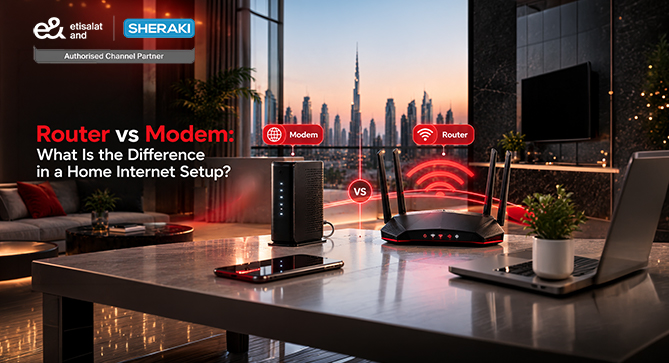
When having home internet equipment installed, you often hear two names: modem and router. Since they have a common purpose of getting devices online, many consumers confuse the functions they perform.
The modem provides the connection between the home and the internet provider. The router controls the internet connection and devices within the home. Once you learn the difference between the two devices, you can better understand different pieces of equipment to install, solve connection-related issues, and enjoy more benefits of your home internet.
If you are installing your home internet for the first time or upgrading the existing one, you will benefit greatly if you know what each device can do.
What Is a Modem?
A modem is a device that makes it possible for you to communicate with your ISP (Internet Service Provider).
Your ISP will be providing the internet service to the house through a specific type of connection like cable, DSL, or fiber, among other access technologies. The modem receives this connection and converts it into something that your home network can utilize. The modem, thus, can be simply defined as the device that connects your house to the internet.
The modem functions, therefore, are essential to your internet service. Without a proper modem or any other network termination equipment, your network at home can have difficulties communicating with the ISP.
The specific device you need to use will depend on your internet connection. For instance, some kinds of fiber internet connections will require the use of optical network terminals rather than cable modems (FTC).
What Is a Router?
The way a router operates is different.
Firstly, after the internet connection comes into your home, the router takes care of the distribution of the internet to different devices. The kinds of devices that may connect through the router include computers, mobile phones, smart televisions, gaming devices, tablets, surveillance cameras, and many other devices.
The role of the router is to take care of the traffic on the home network, including directing information between local devices and the internet.
Some routers can also be used as Wi-Fi routers, meaning that wireless devices are able to connect without needing Ethernet cable connections. In modern routers, many additional network features are provided, such as security, parental control, guest networks, and device management.
In the end, the router is the device managing all traffic inside the home network.
Modem vs Router: The Main Difference
To better grasp the disparity, it is wise to consider their functions.
Modem: Provides a connection for your house to the internet.
Router: Provides the ability to connect devices at home to each other.
The modem deals with the connection from the internet to the home. The router takes the connection established by the modem and provides it to the devices that need it.
HP explains the modem versus router issue similarly by stating that the modem is the device that is responsible for connecting to the ISP, while the router manages connections between devices on the local network and the internet.
This clarification is crucial because a malfunction in one of the devices does not imply problems with the other device (Consumer).
How a Modem and Router Work Together
With a classic setup of an internet connection, the modem and router are part of the same sequence.
The setup is basic:
Internet service → Modem → Router → Home devices
A modem receives the internet signal from the provider.
The router is connected to the modem, manages the network at home, and gives the home devices access to the internet.
To illustrate, when you enter a site on your laptop, your request takes the route of your home network and router, then passes through the modem, and touches the ISP network in order to reach the Internet.
When the website returns the information, it also crosses the modem and hits the router.
This is happening fast and nonstop; that is why the difference between the two types of devices in their work is hard to spot in practice.
Do You Need Both a Modem and a Router?
Not always.
Certain types of broadband equipment have modem and router capabilities combined into a single unit, which is often referred to as a gateway.
With a gateway, there is no need for two pieces of equipment: it can communicate with the ISP and allow for connecting devices in the local network and creating a Wi-Fi connection.
Whether you own two separate units or a combined device will depend on the internet service provider, type of connection, and your specific needs and requirements.
If your internet provider offers a combined unit, you may be able to skip purchasing separate units. Nevertheless, some users still prefer having two separate devices as it increases versatility when it comes to upgrading equipment and maintaining their home network.
What Happens If Your Router Stops Working?
If your modem works, but the router is malfunctioning, your internet connection might be active, but your gadgets may not access it.
- For instance, you might observe that
- : there could be network disruptions.
- multiple devices lose connection at once.
- even wired devices lose connectivity.
- the modem indicates that there is connectivity.
Restarting the router may solve some temporary problems, but if the issues persist, the router, its setup, or other components of the home network must be examined.
Thus, knowing about the distinct router operations and functions will ease troubleshooting.
What Happens If Your Modem Has a Problem?
Problems with the modem can impact internet connectivity on the whole home network. The router may not have access to the internet whenever the modem is unable to connect or stay connected to the ISP.
Devices may still connect to the network through Wi-Fi on their phone or computer, as routers continue broadcasting a network even without any connection.
Still, you may not be able to visit any sites or use any online services due to the unavailability of an ISP connection. This can help you find out whether the issue is related to the internet connection or the home network (Google Support).
Router vs Modem for Wi-Fi
It is common to think that it is the modem providing Wi-Fi.
While a conventional modem facilitates the setup of Wi-Fi, its main duty is conducting communication between the home and the Internet Service Provider.
The router is the piece of technology that generates the connection. The quality and position of the router will influence the quality of the Wi-Fi network in the house as well.
Modern gateways are capable of offering both services, which makes it difficult to differentiate between the two.
If your house is spacious or if the Wi-Fi signal is poor in certain areas, the solution is to fix the Wi-Fi rather than buy another modem.
Does Your Modem or Router Affect Internet Speed?
Both can influence your overall experience, but they affect different parts of the connection.
Your internet plan determines the service speed supplied by your ISP. However, your equipment also needs to support that connection.
An older modem may not support the capabilities of a newer internet service. Similarly, an outdated router may struggle to provide the wireless performance needed by a home with many connected devices.
Router performance can also depend on factors such as Wi-Fi technology, network traffic, distance from the router, interference, and the capabilities of connected devices.
This means upgrading your internet plan does not automatically guarantee that every device in your home will experience the full advertised speed.
How Many Devices Can a Router Handle?
In the context of routers, there is no definitive number.
The actual capacity of a home network varies depending on router characteristics, wireless technologies, types of connected devices, and internet activity.
A home where video streaming, video conferencing, gaming, file uploads, and smart home gadgets are used simultaneously exerts a different pressure than a home with a different number of devices connected at the same time.
This is why you should keep several things in mind rather than just one speed number while choosing networking equipment.
How Sheraki Helps With Your Home Internet Setup
Choosing the best internet provider is just one part of the process of setting up a stable home internet connection. Selecting the right type of devices that can provide and distribute services to the connection is also important. Sheraki offers internet services specifically tailored to meet the needs of homes when it comes to the internet connectivity that they require.
When choosing a home internet connection, there are many factors that may affect how to set up the device. These include the required speed of the internet connection, the number of devices connected to the internet, the types of use that will be made for the connection, and the network configurations needed.
On the other hand, customers of Sheraki are not simply seeking a connection that works. Instead, they are looking for a connection that will provide what they actually need to use the internet.
How to Choose the Right Home Network Setup
Before purchasing or changing your equipment, consider the following:
1. Check Your Internet Connection Type
Different internet technologies may require different equipment. Confirm what your ISP supports before purchasing a modem or gateway.
2. Understand Your Internet Plan
Look at the speed and service you are paying for. Your equipment should be capable of supporting that connection.
3. Count Your Connected Devices
Think beyond phones and laptops. Smart TVs, cameras, consoles, tablets, smart appliances, and other devices can all contribute to network demand.
4. Consider Your Home’s Size
A single router may be sufficient for some homes but may not provide strong Wi-Fi coverage everywhere in a larger property.
5. Look at Your Usage
Streaming, gaming, video calls, cloud applications, and large downloads can create greater network demands than basic browsing and messaging.
Final Thoughts
To better understand the distinction between a modem and a router, you need to look at their functions to find their differences.
The modem is responsible for linking your house to the service provider, while the router deals with connecting the internet service to devices within your home.
There are cases where separate devices will be used and others where a modern gateway will accomplish both functions together. Which option you use depends on your connection type, the internet package that you are subscribed to, the size of your home, the number of devices that you have, and how often you will be using the connection.
Knowing how these two devices work is essential for understanding their role in case of issues or when you buy a service.
While choosing the internet service for your house, it is important to look beyond the maximum speed offered by the provider.